The Solana token scanner that sits beside your chart
Open a token on your trading terminal and Cabal Hunter reads it for you, in Chrome's side panel. Contract traps first, then who holds it, who bought in its first seconds and what the dev launched before, with the transaction behind every finding.
Add to Chrome, freeHow to set it up →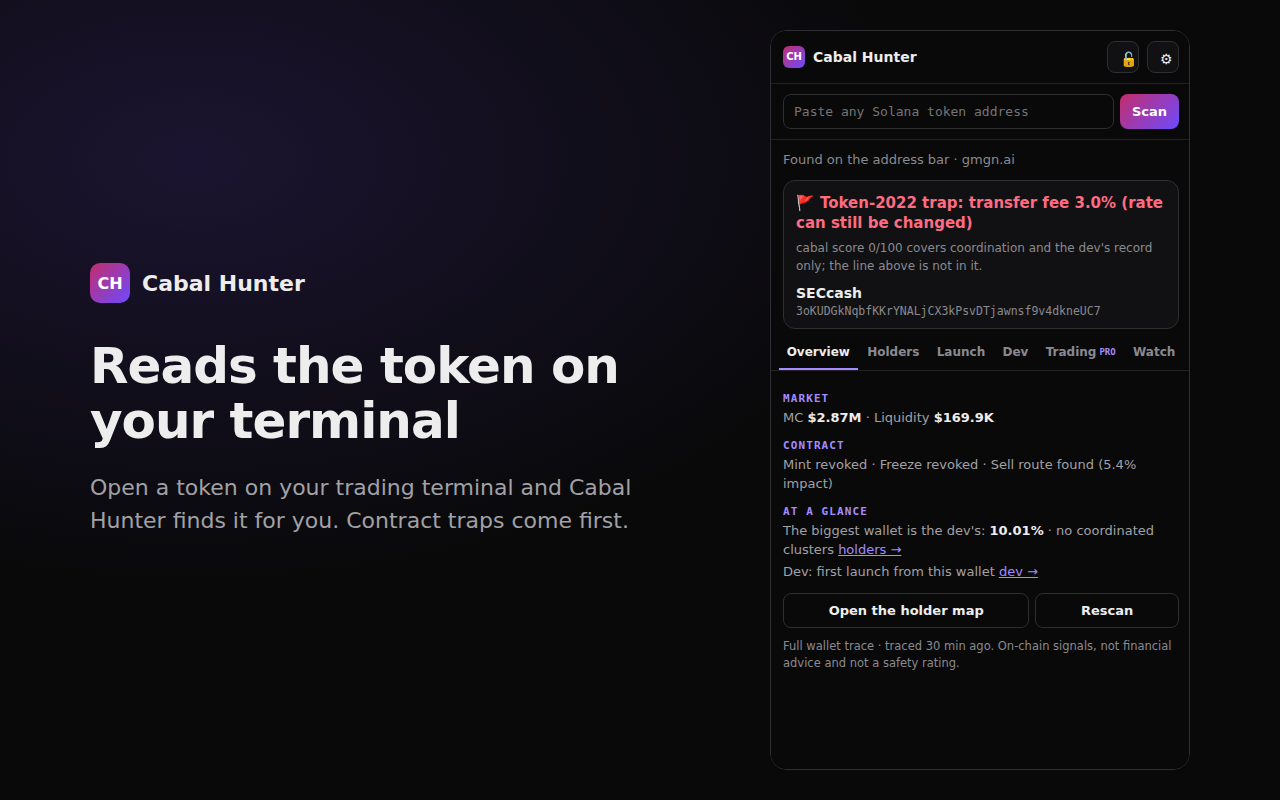
Six tabs, one token, no copy and paste
Overview
Contract traps first: Token-2022 transfer fees, live freeze or mint authority, no sell route. Then market cap, liquidity and what a sell does to the price.
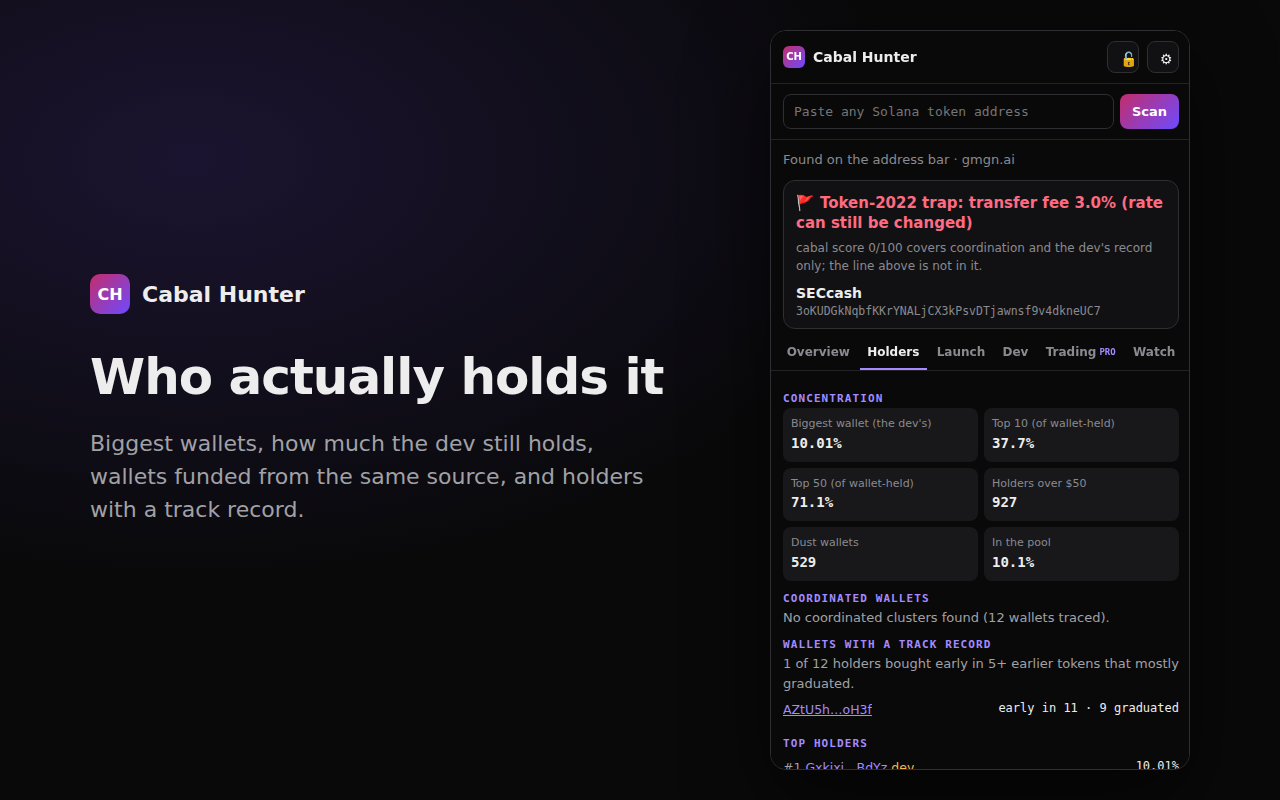
Holders
The biggest wallets, how much the dev still holds, top-10 and top-50 concentration, wallets funded from the same source (with the funding transaction), and holders with a record of buying early in tokens that went on to graduate.
Launch
The wallets that bought in the token's first seconds, read from the creation block itself: how much they took, whether several were funded in the same transaction, and how much they still hold.
Dev
How many tokens the developer's wallet has launched across pump.fun, Raydium LaunchLab and Meteora, how many are dead, and their best and median peak.
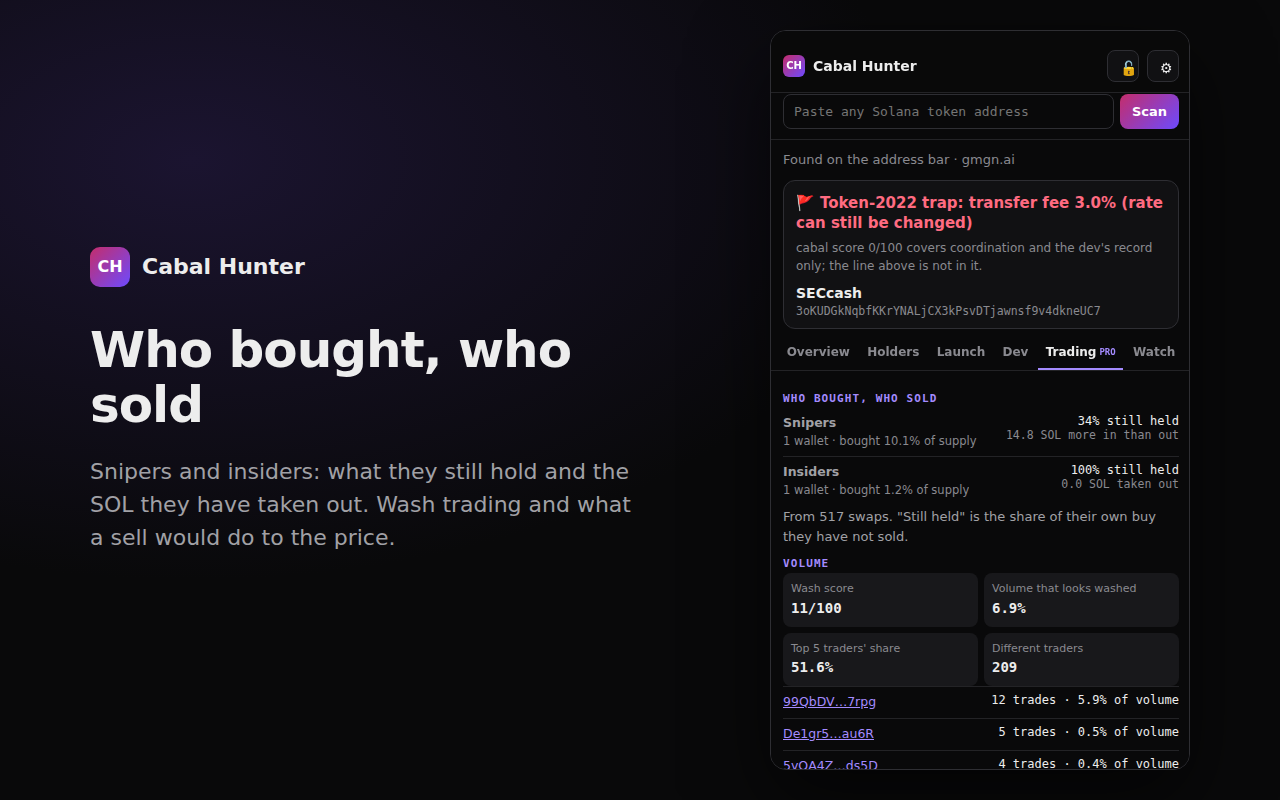
Trading (Pro)
Snipers and insiders with what they still hold and the SOL they've taken out, wash trading and volume concentration, and holders funded straight from an exchange.
Watch
Keep an eye on a token: we check it every 15 seconds and alert you if we detect a dump.
How to use the Cabal Hunter extension
- Add it from the Chrome Web Store, then click the puzzle-piece icon in Chrome's toolbar and pin Cabal Hunter.
- Open any Solana token on the terminal you already use and click the Cabal Hunter icon. The panel opens beside the chart and reads the token on the page.
- Click the gear, paste your key and press Save. Get a free key with just an email. With a key, every token you open is read automatically.
- Want to go deeper on one token? Press “Run the full trace” to check where every big wallet's money came from. That uses 1 scan.
- “Open in Telegram” sends the same token to our bot, where you can Watch it.
Set up for these trading sites
And any page you like with “Work on every website” switched on in the settings, or by pasting a token address into the panel.
Evidence, not a single score
- A side panel, not an overlay. It doesn't inject anything into the trading page, so a terminal redesign doesn't break it.
- The launch, as it happened. We watched the token being created: who bought in its first seconds, which of them were funded in the same transaction, and what they hold now.
- Every finding has a receipt. Funding links, launch buys and dev launches all link to the transaction or wallet on Solscan.
- The dev's record across launchpads. pump.fun, Raydium LaunchLab and Meteora launches all count, and a launchpad's own signing key is never named as the dev.
- Never a green light. Traps come first, and the toolbar badge is never green: a quiet result is not a safety rating.
- One product everywhere. The same findings on the website, in Telegram and through the API and MCP for bots and AI agents.
What it costs
- Installing it: free.
- With a free key (one email, 250 scans a month): every token you open is read automatically, and those quick reads don't use your monthly scans, up to 300 a day.
- The full wallet trace: 1 scan, only when you press the button.
- Without a key: 5 scans a month, and nothing is scanned automatically.
- Paid plans: from $9 a month. See the plans.
FAQ
Is the Cabal Hunter Chrome extension free?
Yes. Installing it is free. Add a free key (one email, 250 scans a month) and every token you open is read automatically: those quick reads don't use your monthly scans, up to 300 a day. The full wallet trace uses 1 scan. Paid plans start at $9 a month.
Which trading sites does it work on?
It is set up to read the token on Axiom, GMGN, Phantom, pump.fun, DexScreener, Photon, BullX, Birdeye, Solscan, Jupiter, Trojan, Padre, DEXTools, GeckoTerminal, Raydium, Nova, MEVX, Fomo, Moonshot and Vector. You can also switch on "Work on every website" in its settings, or paste any Solana token address into the panel.
Can it see my wallet or my keys?
No. It reads the token address from the page address or from token links on the page, and sends that address (and your Cabal Hunter API key, if you added one) to api.cabal-hunter.com. It does not send the page you are on, your browsing history, or anything that identifies you, and it never touches your wallet.
What does it check?
Contract traps first (Token-2022 transfer fees, live freeze or mint authority, no sell route), then who holds the token, wallets funded from the same source, who bought in the token's first seconds and whether they still hold, and what the developer's wallet launched before, across pump.fun, Raydium LaunchLab and Meteora.
Does it tell me whether to buy?
No. Cabal Hunter reports what is on-chain, with the transaction behind each finding so you can check it yourself. A quiet result is not a safety rating, and the toolbar badge is never green.
Does it work on my phone?
The extension is for Chrome on desktop. On your phone, send any token address to our Telegram bot, @TheCabalHunter_Bot, for the same findings.
Cabal Hunter reports on-chain signals. It is not financial advice and not a safety rating. Privacy (section 7 covers the extension).